Kitematic simplifies Docker installation for Mac and also provides an easy GUI interface to manage Containers. Recently, Kitematic released an alpha version for Windows. I tried this recently and I will share my experiences in this blog.
I had covered boot2docker in 1 of my earlier blog. Kitematic is boot2docker combined with a GUI for managing containers. Kitematic uses the same Linux VM as boot2docker.
Installation:
After registering for Alpha program, I received the download link 1 day later. Kitematic loads a small Linux VM in Virtualbox over which the Container runs. If Virtualbox is not installed, Kitematic installation program also installs Virtualbox. In my case, I already had Virtualbox installed. When I tried installing, I got this issue:
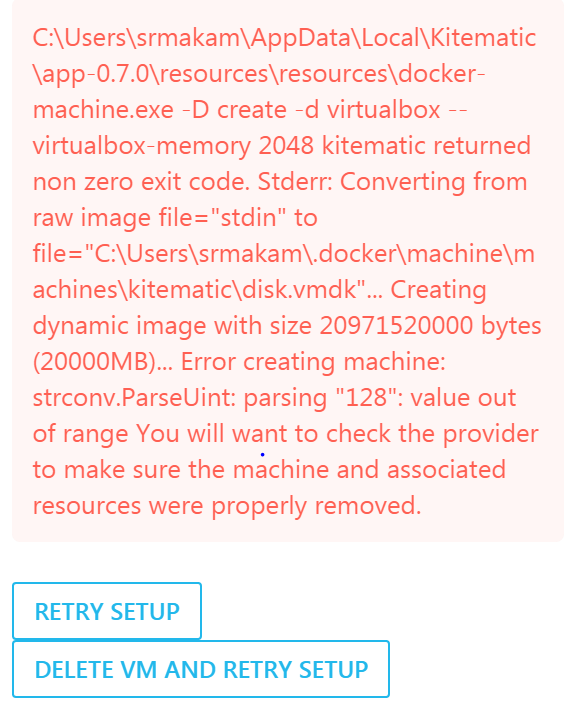
I had faced similar issue when installing boot2docker. 1 of the workarounds I found by googling was to delete the host-only interface that Virtualbox creates for Kitematic/boot2docker. I already had 6 host-only interfaces created in my Virtualbox. I deleted 4 of them and tried reinstalling Kitematic and the installation went through after that.
The second issue I faced was with running Docker CLI and it complained that Docker client and agent versions did not match.This was because I had boot2docker installed previously in my Windows machine. I uninstalled boot2docker and Docker CLI worked fine after that.
Kitematic Networking:

