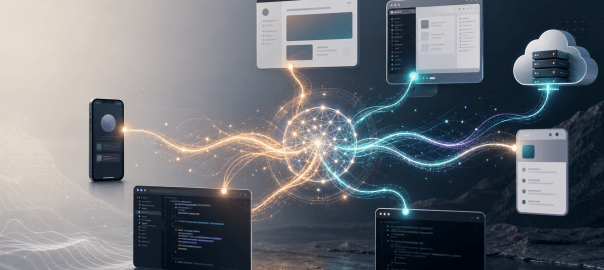
AI assistants are no longer just chat windows. The same assistant now appears as a web app, desktop app, mobile app, browser extension, IDE extension, command-line tool, local agent, and cloud worker.
That is powerful, but it creates a new problem: deciding which interface to use, and keeping context alive when moving between them.
This post is based mostly on my experience with OpenAI and Anthropic products: ChatGPT, Codex, Claude, Claude Code, and their web, desktop, IDE, CLI, mobile, browser, and cloud interfaces. I also touch briefly on Gemini and browser-extension-style workflows, because they represent another way people are starting to interact with AI.
The question I am interested in is not just which model is better. It is: which interface should I use, when should I use it, and why does context still get lost when I move between them?
The OpenAI Interfaces
| Interface | How I think about it |
|---|---|
| ChatGPT web | Best for general thinking, writing, research, analysis, and normal assistant workflows. |
| ChatGPT mobile | Useful when I am away from my laptop. Also useful as a controller for connected Codex hosts. |
| ChatGPT Voice Mode | Excellent for brainstorming. It feels like a real-time conversation, not just dictation. |
| Codex desktop app | My default for local agent work. Best when the task needs local files, terminal commands, browser sessions, or writing changes on my Mac. |
| Codex VS Code extension | Useful for bigger projects inside the IDE, especially when I want to work across multiple agents or keep the workflow inside one editor. |
| Codex CLI | Powerful for terminal-native workflows, but I do not use it much because I prefer seeing code and diffs visually. |
| Codex Web / Cloud | Useful when the repo is on GitHub and I want a small bounded change, PR-style task, or cloud execution without relying on my laptop. |
The Codex desktop app is the OpenAI interface I use most for local work. For anything that needs access to local files, local folders, terminal commands, browser sessions, or writing changes on my Mac, the desktop app is my default.
It gives me a practical local agent environment where I can see what is happening, approve actions, inspect changes, and let the assistant work inside my machine.
The Codex VS Code extension is useful when I am already inside the IDE, especially for bigger projects where I want a single editor surface and may work across multiple agents or threads.
The Codex CLI is powerful, but I personally do not use it much. I prefer the feel of seeing the work visually while changes are being made.
The Codex Web / Cloud mode is different. It is useful when the work is already in GitHub and I want to make a small change, run a bounded task, or delegate something in a PR-style workflow.
In this mode I do not need a local workspace, and execution does not happen on my laptop. The assistant works in the cloud against the repository.
That has obvious advantages. If my laptop is not available, or if I want something long-running to continue without depending on my machine staying awake, cloud execution makes sense. It also works well when the task is self-contained and the repository can build and test cleanly in a cloud environment.
But cloud is not a replacement for local work in every case. If the task depends on unpushed local files, local credentials, desktop apps, browser sessions, local databases, or my Mac setup, the desktop app is still more convenient.
The Anthropic Interfaces
| Interface | How I think about it |
|---|---|
| Claude web | Good for general Claude chat, writing, thinking, analysis, and projects. |
| Claude mobile | Useful for mobile access and remote workflows, but not a full replacement for desktop/project context. |
| Claude desktop app | Useful, but the experience feels split across Chat, Cowork, and Code. |
| Cowork | Useful for local desktop-style tasks, especially for non-technical users, but I do not fully understand why it needs to be separate from Chat. |
| Claude Code CLI | My main serious Claude coding workflow, especially inside VS Code. |
| Claude Code in VS Code | Useful when I want Claude close to the code editor. |
| Claude Code web/cloud | Good when I want execution to happen in the cloud rather than on my local machine. |
| Dispatch / Remote Control | Useful ideas, but they do not feel like one unified control layer yet. |
| Browser extensions / browser usage | Useful, but not the best long-term workflow yet because the integration does not feel smooth enough. |
Claude has a similar spread of interfaces, but the experience feels more fragmented to me.
There is Claude web for general chat and projects. There is the Claude mobile app. There is the Claude desktop app, which separates the experience into areas like Chat, Cowork, and Code. There is Claude Code CLI, Claude Code in VS Code, and Claude Code on the web.
For serious coding, my main Claude workflow is Claude Code CLI inside VS Code. That combination feels powerful because I get the capabilities of the CLI while still keeping the editor open and visible.
Claude’s other modes are useful too. Cowork can help with local desktop-style tasks. Claude Code web provides a cloud coding mode when I want the execution to happen away from my machine. Dispatch and Remote Control are useful ideas for sending or steering work from another device.
But the product feels more split. The pieces are good, but I often feel the boundaries between them.
Voice Is Another Interface
One interface I do not want to ignore is voice.
ChatGPT Voice Mode is one of the most useful non-coding interfaces for me. It is especially good for brainstorming. Speaking to the assistant and getting a real-time spoken response feels very different from typing, or even from using a dictation tool.
Tools like Wispr Flow are useful because they let me speak instead of type. But that is still mostly a better input method for a text conversation. It is not the same as a real-time voice conversation.
ChatGPT Voice Mode feels closer to a true conversational interface. It feels less like “generate text, then read the text aloud,” and more like a direct voice interaction.
Claude also has voice capabilities, but in my usage it does not feel as natural as ChatGPT Voice Mode. It feels more like speech-to-text followed by a spoken response. That may not be the exact implementation, but from a user experience standpoint the difference is noticeable. The delay and response style make it less useful for live brainstorming.
I would also like to see this kind of voice experience inside the Codex app. If I am already working in a local agent workspace, being able to brainstorm with Codex by voice would be very useful. I may not want voice for every coding task, but for planning, debugging, architectural discussion, and reviewing tradeoffs, it would be a natural interface.
Mobile As A Controller Interface
Another interface that I find useful is ChatGPT mobile as a controller for Codex.
From the ChatGPT mobile app, I can connect to Codex running on my Mac or Windows machine and access the projects and threads available on that connected host. I can continue work, send follow-up instructions, approve actions, and review results from my phone.
That is a powerful pattern. The phone is not trying to become the full development environment. It is controlling the Codex environment already running on my machine.
As long as that host is awake, online, paired, and signed in, I can continue threads, approve actions, and inspect results. The permissions still belong to the host-side Codex session.
This is different from Codex Web, where the work happens in the cloud against GitHub. Both are useful, but they solve different problems.
Claude has related ideas through Dispatch and Remote Control, but it does not feel the same to me. Dispatch is more like sending work from mobile to desktop. Remote Control is useful for steering a running Claude Code session. But the experience still feels more split between Claude mobile, Claude desktop, Claude Code, Cowork, and Claude Code web.
What I would like is a more unified control layer: mobile, web, desktop, local machines, and cloud environments should feel like different surfaces over the same underlying work context.
Local vs Cloud
The way I think about local and cloud is simple.
Use local when the machine matters.
Use cloud when the shared repository or online workspace is the source of truth.
Local is better when I need my files, my terminal, my browser, my desktop apps, my local setup, or visual feedback. This is why I use the Codex desktop app so much.
Even though it runs with sandboxing and permissions, once I allow the right operations, it can work with my Mac and browser fairly smoothly. Compared with some other local agent experiences, this makes Codex feel more convenient for my daily workflow.
Cloud is better when the task is centered around a shared online source such as GitHub. If the code is pushed, the task is bounded, and the assistant can work in a clean environment, cloud agents are very useful.
They are especially good for small fixes, dependency updates, tests, review follow-ups, PR-style tasks, and background work that should not depend on my laptop staying awake.
The hybrid model is probably the most realistic. I may explore and develop locally, push a branch, then ask a cloud agent to do a bounded follow-up. Or I may use cloud for a small GitHub change while continuing deeper work locally.
The key is discipline: local and cloud workflows work best when the shared source of truth is clean and the assistant is given a clear task.
My Current Workflow
My personal workflow today is roughly this.
For OpenAI, I mostly use the Codex desktop app when the task needs local access or local file changes. It gives me the best balance of visibility, control, and convenience.
For bigger projects inside the editor, I use the Codex VS Code extension, especially when I want to work across multiple agents or keep the whole workflow inside one IDE.
I use Codex Web / Cloud selectively. If something is already on GitHub and I want a small change or a bounded task, it is a good fit. I do not use it as my main development environment, but I see the value clearly.
For general thinking, writing, research, and brainstorming, I use ChatGPT web, mobile, and Voice Mode. Those are still very useful interfaces. But they are separate from the local Codex app context, and that separation matters.
For Claude, I primarily use Claude Code CLI inside VS Code for bigger coding projects. That feels like the strongest Claude coding workflow for me right now.
I also use browser-based tools across Claude, Gemini, and Codex-style workflows, but I see room for improvement there. The browser is important, but the current extension-style experience does not yet feel like the final form.
What OpenAI Gets Right
What I like about Codex is that it feels like a unified local agent workspace.
In the Codex desktop app, I can ask questions about the project, inspect files, make changes, run commands, review diffs, manage threads, and use local browser/computer tools from one place. That reduces the number of decisions I have to make before starting work.
The local desktop app is especially useful because it works with my actual machine. It is sandboxed, and permissions still matter, but once I approve the right operations, it can interact with my Mac and browser smoothly enough for real work.
ChatGPT mobile controlling connected Codex projects is also a strong pattern. It shows what a good cross-device AI interface can look like. The mobile app becomes a control surface over the environment where the work is actually happening.
ChatGPT Voice Mode is another strong interface. For brainstorming, it is one of the best ways to interact with an AI assistant.
What Anthropic Gets Right
Claude Code CLI is very strong. Used inside VS Code, it gives me a powerful workflow while still letting me see the project in the editor. For bigger projects, this works well.
Claude also has powerful separate modes. Chat, Cowork, Code, CLI, web, mobile, Dispatch, Remote Control, and IDE integration all have a reason to exist. The pieces are good.
Claude Code web/cloud is useful when I want execution to happen in the cloud rather than on my machine. Dispatch and Remote Control are also interesting because they recognize that users want to start or steer work from different devices.
What I Would Like To See Improved In Claude
My issue with Claude is not capability. It is product shape.
As a user, I would prefer one universal Claude experience where chat, cowork, and code feel like modes of the same workspace rather than separate places.
I can understand Code being a specialized mode because coding has its own environment, tools, permissions, and workflows. But the separation between Chat and Cowork is less obvious to me.
Claude Cowork seems designed to make agentic desktop work easier for non-technical users. That makes sense. Not everyone wants to use a terminal or think in terms of repositories, branches, commands, and diffs.
But if I am chatting with Claude and the discussion turns into a task, why should I need to move into a different mode? Ideally, Cowork would feel like a capability inside the same Claude workspace rather than a separate place. The assistant should be able to move from discussion to action naturally, while still asking for the right permissions when it needs to touch files, apps, or the computer.
I would also like Claude’s voice experience to feel more natural for live brainstorming. In my usage, ChatGPT Voice Mode feels closer to a real-time conversation, while Claude voice feels more like speech-to-text followed by a spoken response.
Where The Interfaces Still Break Down
The issue is not that there are many interfaces. Different interfaces are useful for different jobs.
Voice is good for brainstorming. Desktop is good for local work. IDE is good for deep project work. Cloud is good for background execution. Mobile is good for steering work.
The problem is that the context does not always travel with me.
A few examples:
ChatGPT voice to Codex
If I brainstorm an idea in ChatGPT Voice Mode on mobile or web, that conversation does not naturally appear inside the Codex desktop app. If the brainstorming leads to an implementation task, I need to manually restate the context in Codex.
Codex desktop to ChatGPT mobile
This works better. If Codex is running on my Mac and the machine is awake, online, paired, and signed in, I can access those Codex projects and threads from ChatGPT mobile. This is one of the best examples of a useful cross-device AI interface.
Codex desktop to ChatGPT web
This is where the continuity feels incomplete. I can control connected Codex hosts from ChatGPT mobile, but I do not get the same connected-host control surface from ChatGPT web. Since I often work from a browser too, I would like the web interface to become another control surface for the same Codex host context.
ChatGPT web or mobile to Codex desktop
The reverse direction is also incomplete. General ChatGPT conversations, projects, and voice brainstorms do not automatically become available as working context inside Codex. That matters because many tasks start as thinking or planning before they become implementation.
Claude Chat, Cowork, and Code
In Claude, the fragmentation feels different. Claude has Chat, Cowork, Code, Claude Code CLI, Claude Code web, mobile, Dispatch, and Remote Control. Dispatch is useful because I can send work from mobile to desktop, and Remote Control is useful for steering a session. But it does not feel like one shared workspace where the same context naturally follows me across Claude web, desktop, mobile, and Code.
Claude Code local vs cloud
Claude Code has both local and cloud-style workflows. Local Claude Code is useful when I want the work to happen inside my own machine or IDE. Claude Code web/cloud is useful when I want the task to run away from my machine, usually against a GitHub-backed environment.
That separation makes sense technically. Local work and cloud work have different permissions, files, tools, and execution environments. But from a user experience standpoint, I still want the context to move more naturally between them. If I plan something in Claude chat, start work in Claude Code CLI, and later move to Claude Code web, I do not want to reconstruct the whole task manually.
The Real Problem Is Context Continuity
The missing piece is not one universal interface. I actually want multiple interfaces.
What I want is a shared context layer underneath them.
If I brainstorm in voice, I should be able to continue in desktop. If I start work in a local agent, I should be able to inspect it from mobile and web. If I delegate work to the cloud, the result should be easy to pull back into the local or conversational context.
If I switch from Claude web to Claude Code, or from ChatGPT to Codex, I should not have to reconstruct the entire task history manually.
The best current example of this working is ChatGPT mobile controlling Codex projects on a connected machine. That shows the direction I want: mobile is not replacing the desktop environment; it is becoming a control surface for it.
The next step is making that idea more universal across web, desktop, mobile, voice, IDE, local agents, and cloud agents.
At the same time, permissions should remain local to the right environment. I do not want every interface to have every permission. Local files, desktop apps, browser sessions, and computer control should stay tied to the machine where permissions were granted. Cloud work should stay in the cloud. Mobile should control what it is allowed to control.
But the reasoning context, project context, and user intent should travel better across these surfaces.
Where I Think This Is Going
The future of AI tools is not just better models. The models will keep improving, but the interface and context layer may matter just as much.
The winning product will be the one that lets me move between local, cloud, IDE, web, browser, desktop, mobile, and voice without constantly re-explaining what I am doing.
For me, that is the real product: not just the assistant, not just the model, and not just another interface.
The real product is context continuity.


Really appreciate how you’re highlighting context as the real product—so many tools focus on features, but it’s the continuity of thought that matters most. I’ve been exploring ways to keep creative workflows seamless across interfaces, and for video generation, wan 3.0 ai video generator stands out as a truly browser-native solution that runs without setup, letting you turn documents or reference media into dynamic clips in one pass—perfect for maintaining flow between ideas.