I had covered basics of Arista EoS and vEoS in my previous blog. Arista’s Eapi gives programmatic approach to manage Arista devices. Arista’s Pyeapi Python library is built on top of Eapi. In this blog, I will cover the following:
- Eapi
- Pyeapi library
I have used Arista vEoS for trying out all examples below without needing a physical Arista device. That shows the power of virtual device.
There is lot of similarity between Arista’s Eapi and Cisco’s NXAPI. I covered NXAPI in 1 of my earlier blogs. Arista’s Eapi is equivalent to Cisco’s NXAPI, Arista’s Pyapi library is equivalent to Cisco’s Pycsco library. Arista’s Eapi provides http/https access to the Arista router/switch through which we can send standard CLI commands and the output is received in JSON/XML formatted output. There is no need to do screen scraping with this approach, this makes it devops friendly. Arista’ Pyeapi is available as a github project.
Eapi:
To enable Eapi in Arista device, do “management api http-commands” in config prompt. Following is the output in my Arista vEoS switch:
vEoS1#show management api http-commands
Enabled:            Yes
HTTPS server:       running, set to use port 443
HTTP server:        shutdown, set to use port 80
Local HTTP server:  shutdown, no authentication, set to use port 8080
Unix Socket server: shutdown, no authentication
VRF:                default
Hits:               0
Last hit:           never
Bytes in:           0
Bytes out:          0
Requests:           0
Commands:           0
Duration:           0.000 seconds
SSL Profile:        none
URLs
-------------------------------------
Management1 : https://10.10.10.11:443
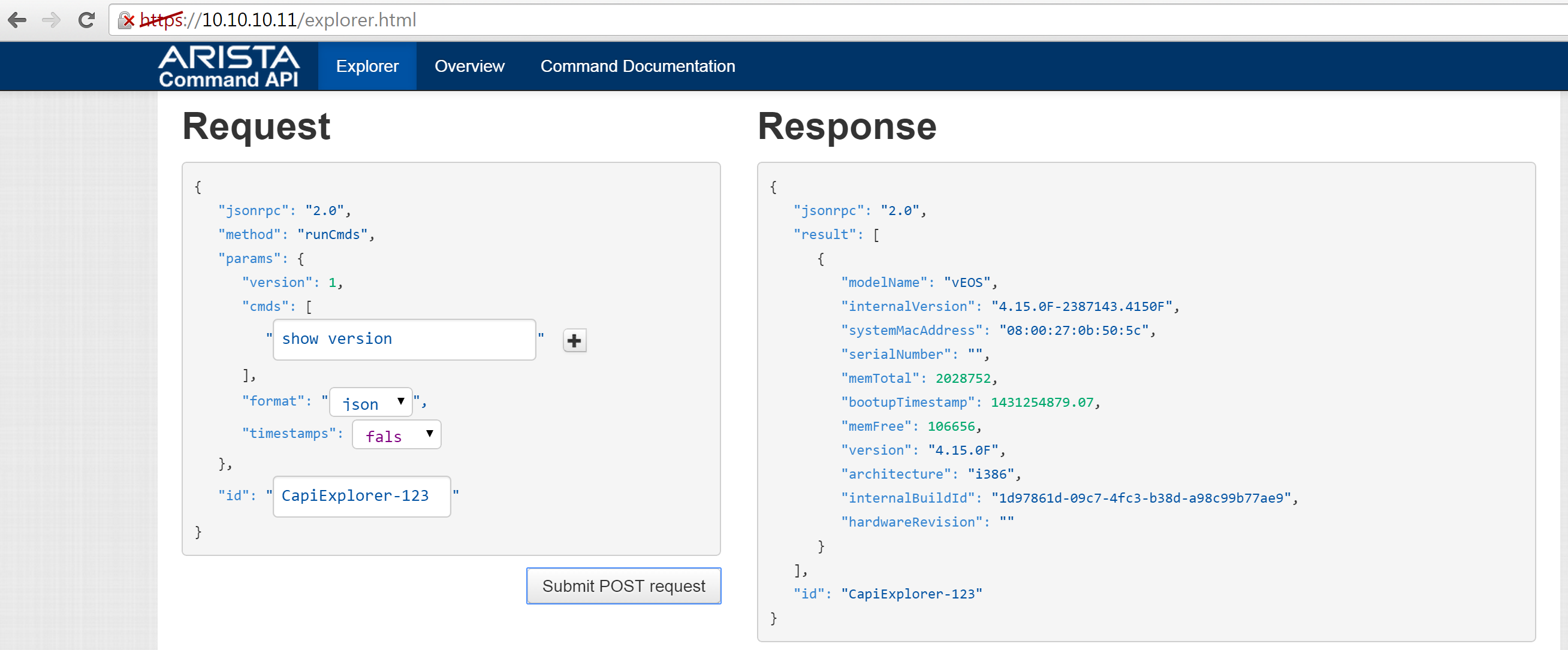
After enabling eapi in the switch, we can access the device through a browser and execute cli commands to do either show commands or config commands. Following is a sample output for “show version”.
Pyeapi library:
To install pyeapi in Ubuntu 14.04 linux, I did:
sudo pip install pyeapi
pyeapi provides high level abstractions using Python api using which we can automate the configuration/monitoring of the Network device. For example, vlan module provides apis like create, delete, setting vlan name. Interface module provides functionalities like creating/deleting as well as getting/setting properties on an interface. Modules are currently available for interface, vlan, lag, stp, switchports.
Pyeapi reads credentials from ~/.pyeapi.conf or custom path can be set in EAPI_CONF. Following is a sample credential file.
[connection:veos01]
host: 10.10.10.11
username: arista
password: arista
enablepwd: arista
port: 443
transport: https
Following sample example connects to the node, gets running config, version and uses vlan api to create a new vlan and displays the vlan.
# start by importing the library
import pyeapi

# create a node object by specifying the node to work with
node = pyeapi.connect_to('veos01')

# return the running or startup configuration from the node (output omitted for
run_conf = node.running_config

print 'RUNNING CONFIG'
print run_conf

version_out = node.enable('show version')
print 'VERSION output', version_out

print 'My System MAC address is', version_out[0]['result']['systemMacAddress']

# Get vlan endpoint
vlans = node.api('vlans')

# Get all vlan
vlan_out = vlans.getall()

# Print all vlans
print 'current vlans', vlan_out

# Create new vlan 1000
vlans.create(1000)

# Get all vlan
vlan_out = vlans.getall()

# Print all vlans
print 'current vlans', vlan_out
Using Eapi and Pyeapi, we can create automation scripts with ease.
References:
- Arista eapi 101
- Pyeapi github page
- Pyeapi Arista pages – 1 and 2.


1 thought on “Arista Eapi and pyeapi”