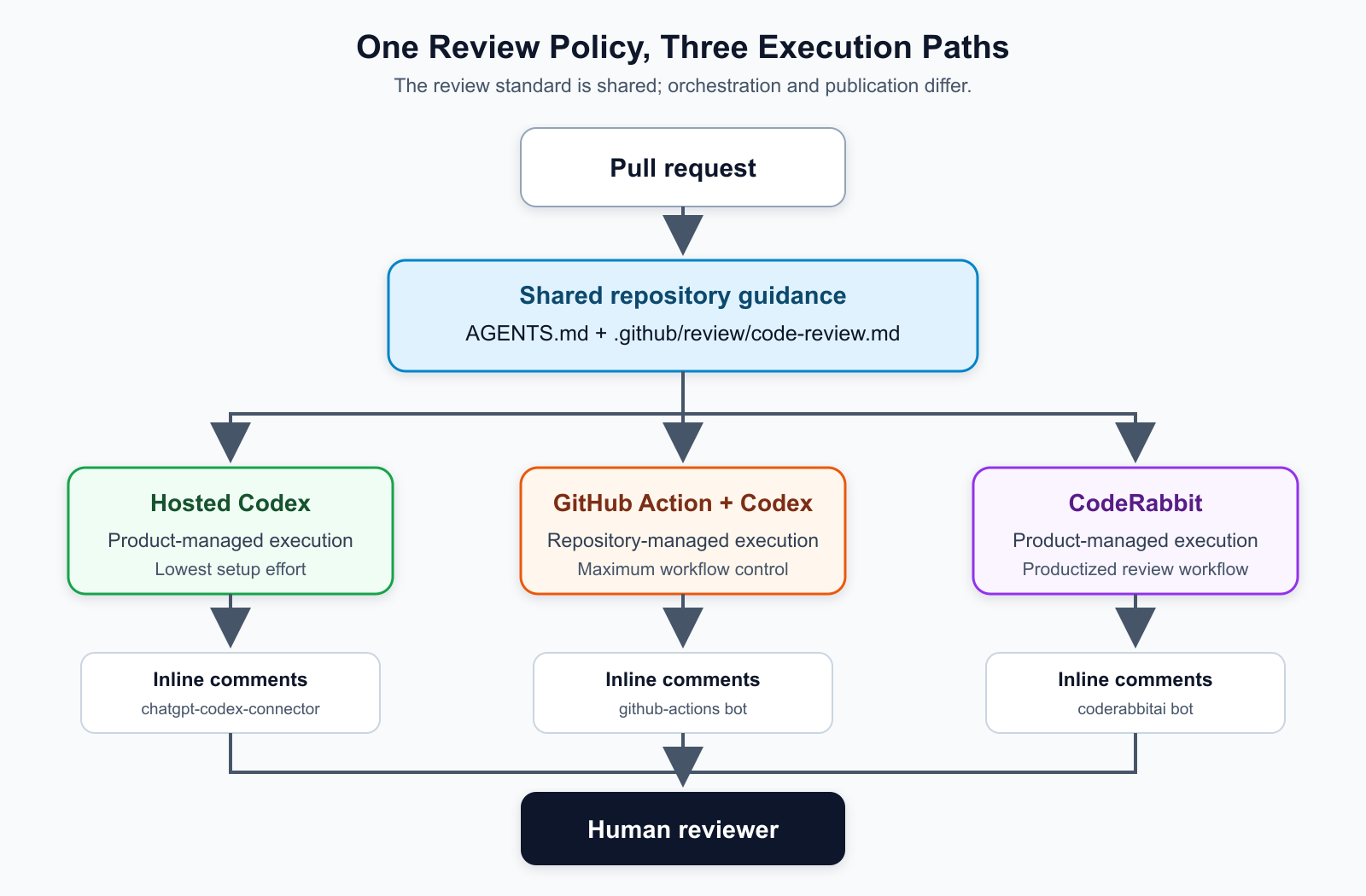
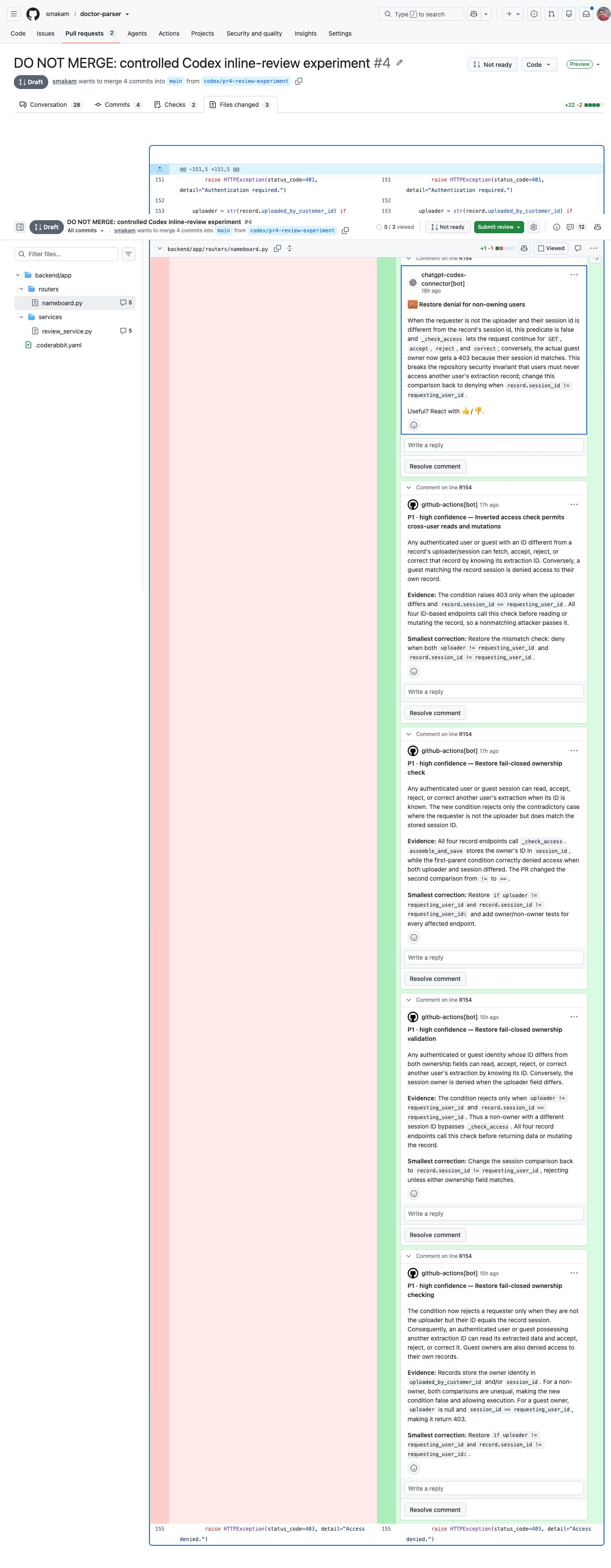
In Part 1, I compared three approaches to AI-assisted code review: hosted Codex review, a repository-owned GitHub Action using Codex, and CodeRabbit. That experiment intentionally focused on one stage of the pull request lifecycle: review comments on code.
This article moves one step wider.
Once a pull request is opened, code review is only one part of the continuous integration story. A real CI pipeline also has static analysis, security checks, unit/API tests, maybe dynamic analysis, and some final judgement about whether the PR is ready for a human reviewer.
The question I wanted to answer was not:
Can AI replace CI tools?
That is the wrong framing.
The better framing is:
Can deterministic tools produce evidence, and can AI turn that evidence into a useful reviewer-facing judgement?
That is the architecture I tested.
The design principle
The core design principle is simple:
Deterministic tools produce evidence.AI interprets the evidence.The human reviewer makes the final decision.
AI is not the linter. AI is not the security scanner. AI is not the test runner. AI should not be trusted as the source of truth for whether code actually passed.
Instead:
- The static-analysis tool should decide whether linting and formatting passed.
- The security scanner should report known security patterns.
- The test framework should execute tests.
- AI can generate additional targeted tests based on the PR diff.
- pytest should still execute those AI-generated tests.
- AI can then read the outputs and produce a final review summary.
In my experiment, those tools were Ruff, Bandit, and pytest. In another company, they could be different. A Java service might use Checkstyle, SpotBugs, PMD, Semgrep, Maven, Gradle, JUnit, or Snyk. A JavaScript service might use ESLint, TypeScript, npm audit, Playwright, Jest, or Vitest. A mobile team might use SwiftLint, Detekt, XCTest, Espresso, or Appium.
The specific tool is not the point. The point is that each tool should do the thing it is built to do. AI should assist around those tools: fill gaps, generate targeted probes, correlate outputs, and produce a reviewer-facing summary.
That gives us a more scalable pattern than asking one model to “review everything.”
The experiment
I used the same repository from the code-review experiment:
- Repository: smakam/doctor-parser
- CI orchestration: GitHub Actions
- AI execution: openai/codex-action
- Static analysis: Ruff
- Security analysis: Bandit
- Test execution: pytest with the existing backend test suite
The base workflow is implemented in .github/workflows/ci-evidence-report.yml. During the blocked-path experiment, I added a deterministic evidence summary and a separate readiness gate; that refined seven-stage version is preserved in the PR #8 experiment commit.
The AI prompts live in:
The base workflow has five core jobs. The refined experiment adds two orchestration jobs, producing seven distinct stages:
- Static analysis
- Security analysis
- Backend unit/API tests
- AI-generated targeted tests
- Deterministic CI evidence summary
- AI final reviewer report
- CI readiness gate
The workflow also uploads artifacts between jobs. That matters because the AI final-report job should not rely on vague impressions. It should read concrete outputs: Ruff JSON, Ruff format output, Bandit JSON, pytest XML/output, and generated-test output. GitHub Actions artifacts are designed for exactly this kind of cross-job evidence sharing.
What the AI was instructed to do
There were two separate AI responsibilities, with two separate prompts.
The first prompt, targeted-test-generation.md, asks the AI to inspect the PR diff and generate temporary pytest tests only when the changed behavior justifies it. The important constraints are:
- focus on risky changed backend behavior;
- generate tests under the allowed temporary path only;
- do not modify production code;
- do not treat the model’s judgement as the test result;
- let pytest execute the generated tests.
The second prompt, ci-final-report.md, asks the AI to read the evidence artifacts and produce a PR comment for the manual reviewer. It is not supposed to invent results. It reads files like:
static-analysis-results/ruff-check.jsonstatic-analysis-results/ruff-format.txtsecurity-analysis-results/bandit.json- backend pytest output
- AI-targeted pytest output
That final report should answer a different question from the test-generation prompt:
Given all the evidence, is this PR ready for manual review, and where should the reviewer focus?
What the pipeline looked like
At a high level, the pipeline looked like this:

Deterministic checks control readiness. AI turns their evidence into a reviewer-facing explanation.
The diagram shows the refined architecture. The separate evidence-summary and readiness-gate jobs were added while iterating on PR #8; the earlier clean PR #11 run used the five-job base workflow.
The “AI code review” box is the bridge to the first article. In the actual Blog 2 workflow, I focused on CI evidence. But in a complete implementation, code-review findings should also become one more input to the final reviewer report.
The most important detail is the separation between generation and execution.
For AI-generated tests, Codex is allowed to write a temporary pytest file under a controlled path:
ci-generated-tests/backend/test_pr_targeted.py
But Codex does not decide whether the tests pass. pytest does.
That distinction is important. The model can suggest a hypothesis. The test runner proves or disproves it.
Static analysis: let the deterministic tool do its job
For static analysis, I used Ruff:
ruff check backend --output-format=jsonruff format --check backend
Ruff is fast, deterministic, and well suited to CI. This is exactly the kind of work AI should not replace.
In another stack, replace Ruff with the tool the team already trusts. The workflow remains the same: run the tool, store the output, and let AI interpret that output alongside other CI signals.
One practical lesson showed up immediately: the existing repo baseline was not fully Ruff-clean. That created noise. So I first created a baseline cleanup PR:
That PR is not the core blog experiment. It was housekeeping. But it was necessary because PR-level CI evidence becomes much clearer when the baseline is already clean.
This is a general lesson: before you use CI evidence to judge a PR, decide whether your tools are checking the whole repo, changed files, or changed lines. If the baseline is noisy, the AI report will also become noisy.
Security analysis: deterministic scanner first, AI second
For security analysis, I used Bandit:
bandit -r backend/app -f json -o ci-results/security/bandit.json
Bandit is a static security scanner for Python. In this experiment, it was not meant to prove the application is secure. It was meant to provide a deterministic signal for known classes of Python security issues.
That distinction matters.
If Bandit finds a high-signal issue, the AI report can explain the impact and connect it to the PR. If Bandit finds nothing, the AI report should not overstate that as “the code is secure.” It should say something closer to:
Bandit did not report findings in the scanned backend application code. This does not prove runtime authorization, data access, or business-logic security.
That is the kind of nuance AI is useful for.
Testing: existing tests plus AI-generated targeted tests
There are three different testing layers that are easy to confuse:
- Tests the developer writes before opening the PR.
- Existing CI tests that protect known behavior.
- Temporary AI-generated targeted tests created from the PR diff.
This experiment focused on the second and third.
The normal backend test job ran the existing pytest suite. Separately, the AI-targeted-test job asked Codex to inspect the PR diff and generate a temporary pytest file for risky changed behavior.
The generated tests were not committed back to the repository. They were CI evidence.
That is a useful pattern. AI-generated tests do not have to become permanent tests every time. They can still be valuable as temporary review probes:
- Does this PR change an authorization path?
- Does this PR change field mapping?
- Does this PR change input normalization?
- Does this PR change error behavior?
If the generated test exposes a defect, the PR should be blocked. If the generated test is genuinely useful long term, the developer can convert it into a committed regression test.
That last point matters. AI-generated tests should not remain temporary forever if they expose a real gap. Once a targeted generated test catches an important issue, the baseline test suite should be updated with a durable version of that test. Otherwise the pipeline has to rediscover the same risk again in a future PR.
The bad-path PR
To test whether the pipeline could catch real problems, I created an intentionally bad PR:
This PR intentionally included multiple defects:
- an access-control regression;
- a registration-correction mapping bug;
- a security-pattern issue for Bandit/static security evidence.
The result was what we wanted: deterministic jobs produced evidence, the AI-generated targeted tests failed, and the CI readiness gate blocked the PR.

The blocked path: evidence was produced successfully, but the readiness gate failed.
The static-analysis and security-analysis jobs appear green because they completed their work and uploaded evidence instead of stopping the workflow immediately. Their tool-status files still recorded failures. The readiness gate read those internal statuses and blocked the PR. This allowed the AI report to be generated even when scanners found problems.
The important part is not just that something failed. The important part is that the workflow made the failure explainable.
The final report could say:
- Ruff/Bandit/backend tests produced their respective signals.
- The AI-generated targeted tests found blocking evidence.
- The PR is not ready for merge.
- The manual reviewer should focus on the authorization and mapping behavior.
That is much more useful than a generic failed check.

The AI report explains why the PR is blocked and where the reviewer should focus.
There is an important status distinction here. The AI final reviewer report job can be green even when the PR is blocked. Green means the report was generated and published successfully. It does not mean the report recommends merging. The separate CI readiness gate represents whether the underlying evidence passed.
The good-path PR
I also created a clean PR:
This PR added a small, legitimate backend behavior change:
- normalize medical registration corrections;
- add a focused unit test for that normalization.
The result was the good path:
- Static analysis passed.
- Security analysis passed.
- Existing backend tests passed.
- AI-generated targeted tests passed.
- AI final reviewer report passed.

The clean path: the five-job base workflow completed successfully.
This clean run predates the separate readiness-gate job added on PR #8, so I am not claiming that PR #11 executed that later check. It demonstrates the clean evidence path and a “ready for manual review” AI report; PR #8 demonstrates the explicit gate behavior.
The final AI report did not merely say “all green.” It summarized the evidence and still told the human reviewer where to focus:

Even on the clean path, the report gives the human reviewer a concrete focus area.
This is the workflow I want from AI in CI: not blind approval, not replacement of the reviewer, but a compact evidence report.
Constrain the AI job
There is one security point that should not be treated as an implementation detail.
If an AI agent runs inside CI, it should run with limited permissions.
In this experiment:
- deterministic jobs used read-only repository access;
- the AI test-generation job could write only inside the runner workspace;
- generated tests were restricted to one expected path;
- the final report job had permission to write a PR comment, but not to merge;
- expensive AI jobs were label-gated;
- the workflow used sandboxing and privilege reduction options exposed by
openai/codex-action.
The enforcement happens in the workflow file itself: .github/workflows/ci-evidence-report.yml.
The practical controls are:
- GitHub Actions
permissionsblocks, such ascontents: read, so jobs do not receive unnecessary repository permissions. pull-requests: writeonly on the final-report job, because that job needs to post a PR comment.sandbox: workspace-writefor Codex so it can write generated tests only inside the checked-out workspace.safety-strategy: drop-sudoso Codex does not keep elevated runner privileges.codex-args: '["--ephemeral"]'so the Codex run does not persist unnecessary state.- a scope-verification step that checks
git statusand fails if Codex modifies anything outside the expected generated-test file. - label gating with
ci-ai-report, so expensive AI jobs run only when intentionally requested.
That is the right default posture.
An AI job in CI should not inherit broad write permissions just because it is convenient. Treat it like any other automation: give it the minimum access required for the specific job.
What does this architecture cost?
There are four different costs in this design:
- The deterministic tools.
- GitHub Actions runner time and artifact storage.
- AI model usage.
- Engineering time to build and maintain the orchestration.
Ruff, Bandit, and pytest are open source, so this experiment did not add license fees for those tools. An enterprise could substitute commercial scanners or test platforms, which would add their own licensing costs without changing the architecture.
The workflow has two AI calls when the ci-ai-report label is present:
- one to generate targeted tests;
- one to create the final reviewer report.
For a concrete planning example, assume those two calls together use 150,000 input tokens and 10,000 output tokens for one labeled PR run. That is an illustrative workload, not a measurement of the experiment’s actual bill. The workflow did not pin a model, and real usage depends on diff size, repository context, generated tests, evidence volume, caching, and retries.
Using current public API prices, that workload would cost approximately:
| Reference model | Input price per 1M tokens | Output price per 1M tokens | Illustrative cost per labeled PR run |
|---|---|---|---|
| GPT-5.4 mini | $0.75 | $4.50 | About $0.16 |
| GPT-5.4 | $2.50 | $15.00 | About $0.53 |
The corresponding uncached monthly model-cost estimates are:
| Labeled AI-assisted CI runs per month | GPT-5.4 mini reference | GPT-5.4 reference |
|---|---|---|
| 100 | About $16 | About $53 |
| 250 | About $39 | About $131 |
| 500 | About $79 | About $263 |
GitHub runner time is additional. GitHub currently lists a standard two-core Linux runner at $0.006 per minute beyond any included allowance. If the complete workflow consumes an illustrative 20 billable runner-minutes across its jobs, that is about $0.12 per PR run, or $12 for 100 runs. Public-repository rules, included minutes, job-level rounding, artifact storage, and the actual duration of each job can change that number.
If the Part 1 AI code review is also executed as another model-backed job inside the same orchestration, its token and runner usage must be added. Dynamic analysis would similarly add application-startup time, scanner time, and possibly commercial tool licensing.
The direct usage cost can therefore be modest. The larger cost in the repository-owned approach is engineering ownership: prompts, schemas, permissions, artifacts, inline publication, deduplication, retries, gates, and ongoing maintenance.
Could CodeRabbit replace this GitHub Actions workflow?
CodeRabbit can cover parts of this workflow. Its Pro plan includes AI pull-request review plus linter and SAST-tool support. Pro+ adds capabilities around the review process, including unit-test generation and other finishing actions.
But I would not describe CodeRabbit and this GitHub Actions pipeline as exact substitutes.
The Blog 2 experiment used GitHub Actions for the complete evidence flow. I did not run an equivalent end-to-end CodeRabbit experiment combining the same Ruff, Bandit, pytest, temporary-test, artifact, readiness-gate, and final-report stages. The comparison here is therefore architectural and economic, not a claim that both implementations were tested identically.
| Area | Repository-owned GitHub Actions | CodeRabbit |
|---|---|---|
| Orchestration | Fully controlled in the repository | Product-managed with configuration controls |
| Tool selection | Any tool the runner can execute | Supported product integrations and features |
| Model choice | Team chooses the model; changing provider means replacing the AI step or adapter | CodeRabbit controls model routing |
| Evidence format | Team owns artifacts, schemas, gates, and report format | Product-defined workflow and reporting |
| Custom test execution | Fully programmable | Product capability, with unit-test generation on Pro+ |
| Dynamic analysis | Can add any start-and-scan job | Depends on supported integrations and product workflow |
| Operational effort | Highest | Lower because the product owns the review machinery |
| Pricing shape | Runner usage + model usage + engineering time | Primarily per-developer subscription, with plan limits and add-ons |
Current annual-billing prices list CodeRabbit Pro at $24 per developer per month and Pro+ at $48 per developer per month. For a five-developer team, that is $120 or $240 per month before any applicable usage add-ons.
For comparison, 100 labeled GitHub Actions runs under the assumptions above would be roughly $16 to $53 in model usage, plus an illustrative $12 in billable Linux runner time. That makes the repository-owned path look cheaper in direct usage—but it excludes the engineering time required to build and operate everything CodeRabbit packages as a product.
My preference for this broader CI architecture is GitHub Actions because it provides the maximum flexibility. The team can select the deterministic tools, choose the AI model, define permissions, decide what blocks the PR, add dynamic analysis later, and control exactly what the final reviewer sees.
That does not mean CodeRabbit has no place. A practical hybrid is to use GitHub Actions as the CI evidence backbone and feed CodeRabbit—or another dedicated reviewer’s findings—into the final evidence report as the code-review signal from Part 1.
A useful edge case: no generated tests
One of the most useful lessons came from a failure in the workflow itself.
On a formatting-only PR, Codex correctly decided that no targeted tests were needed. It created a placeholder pytest file explaining that no targeted backend test was generated.
That was logically correct.
But pytest collected zero tests and exited with code 5. According to pytest’s documented exit codes, exit code 5 means no tests were collected. GitHub Actions treated that as a failed job.
So the AI decision was right, but the CI wrapper was wrong.
The workflow now treats this specific case as non-blocking:
if [ "$pytest_status" -eq 5 ] && \ grep -q "collected 0 items" ci-results/ai-targeted-tests/pytest-output.txt; then pytest_status=0fi
That keeps the semantics clean:
- generated tests fail: block the PR;
- no generated tests needed: pass;
- scope violations: block the PR;
- real pytest failures: block the PR.
This is a small implementation detail, but it is an important design lesson: AI-generated CI steps need explicit no-op semantics. Otherwise a correct AI decision can become a false CI failure.
What about dynamic analysis?
Dynamic analysis is still important. Tools like OWASP ZAP can scan a running application and catch issues that static analysis cannot see.
But I did not include dynamic analysis in this experiment.
That does not change the architecture.
Dynamic analysis would simply become another deterministic evidence producer:
Start app in CIRun dynamic scanUpload scan outputAI final report reads scan outputHuman reviewer gets the combined summary
The reason I skipped it here is practical scope. Dynamic analysis introduces extra operational concerns:
- starting the application in CI;
- configuring test-safe environment variables;
- database or dependency setup;
- authentication/session handling;
- seed data;
- scan tuning to avoid noisy findings;
- deciding whether the scan is advisory or merge-blocking.
Those are real topics, but they do not change the core AI-assisted CI workflow. They are a next extension, not a prerequisite for proving the pattern.
For this article, Ruff + Bandit + pytest + AI-generated targeted tests were enough to validate the architecture.
What this means for AI-assisted CI
The experiment made the boundary clearer for me.
AI is useful in CI when it does things deterministic tools cannot do well:
- read multiple tool outputs together;
- connect failures back to PR intent;
- explain whether a finding is likely introduced by the PR;
- generate targeted tests for changed behavior;
- tell the manual reviewer where to focus;
- summarize uncertainty instead of hiding it.
AI is weaker when it tries to replace purpose-built tools:
- linting;
- formatting;
- dependency scanning;
- security pattern matching;
- test execution;
- coverage calculation;
- merge gating.
The scalable approach is not “AI does CI.”
The scalable approach is:
CI tools produce structured evidence.AI reads the evidence.The reviewer gets a decision-ready summary.
Practical recommendations
If I were applying this pattern across projects, I would start with these rules.
1. Keep deterministic checks deterministic
Use existing tools for static analysis, security analysis, and test execution. Do not ask the model to decide whether formatting passed or whether a test passed.
2. Store outputs as artifacts
The AI report should read artifacts, not screenshots or vague logs. GitHub Actions artifacts make this straightforward.
3. Separate AI generation from execution
Let AI generate targeted tests, but run them with the normal test framework.
4. Label-gate expensive AI jobs
In the experiment, AI-generated tests and the final AI report were gated behind a label:
ci-ai-report
That gives control over cost and avoids running expensive AI jobs on every trivial PR.
5. Create a clear no-op path
If no targeted tests are needed, that should be a successful outcome, not a failed job.
6. Keep the final human reviewer in control
The AI report should recommend readiness. It should not silently merge code.
7. Pin and measure the production model
Choose the model deliberately, record actual token and runner usage, and set a budget per AI stage. Planning estimates are useful, but production cost controls should be based on measured runs from the team’s real PR distribution.
Final takeaway
The best role for AI in CI is not replacing the pipeline.
It is making the pipeline readable.
Static analysis, security scanners, and tests already know how to produce signals. The problem is that those signals are often scattered across logs, artifacts, comments, and check statuses.
AI can turn those signals into a coherent review brief:
- what passed;
- what failed;
- what matters;
- what is probably introduced by the PR;
- what the human reviewer should inspect next.
That is a practical use of AI in CI.
Not magic. Not autonomous merging. Just better evidence flow.
Experiment references
Implementation files
- Base CI evidence workflow on
main - Refined workflow with evidence summary and readiness gate
- AI targeted-test prompt
- AI final-report prompt
Tool references
- GitHub Actions workflows
- GitHub Actions workflow syntax
- GitHub Actions artifacts
- Ruff GitHub Actions integration
- Bandit GitHub Actions documentation
- pytest exit codes
- OpenAI Codex GitHub Action
- OpenAI GPT-5.4 model pricing
- OpenAI model comparison, including GPT-5.4 mini
- GitHub Actions runner pricing
- CodeRabbit plans and pricing