Objective
How do you choose a model router for your own application? I tested six classifiers on a marketplace support agent to compare cost against answer quality. This small study demonstrates the decision process, not a general ranking of products.
Both GPT-5 nano and GPT-5 answered 18 support cases: 16 single-turn and two two-turn cases, or 20 answer turns per model. The LLM classifier and JEV each selected fully correct answers for 88.9% of cases, versus 94.4% for GPT-5 alone and 50% for nano, at an estimated 55–58% of GPT-5’s cost.
Part 2 examines how long a routing decision should last across a conversation.
The Use Case
I built a simulated marketplace with buyers, sellers, orders, shipments, payouts, returns, refunds and versioned policies. Its internal support agent answers questions using read-only SQL and policy search, citing its evidence. It runs on the OpenAI Agents SDK, through LiteLLM, with Langfuse tracing; payments and business data are simulated.
The workload mixes quick lookups—“What products are in order-2?”—with investigations such as “Why hasn’t this seller been paid?” The latter can require payment records, delivery events, policy and a time calculation.
Routing Is Three Decisions
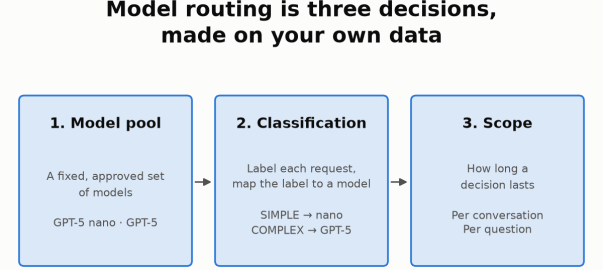
Model routing is not one setting. It is three decisions:
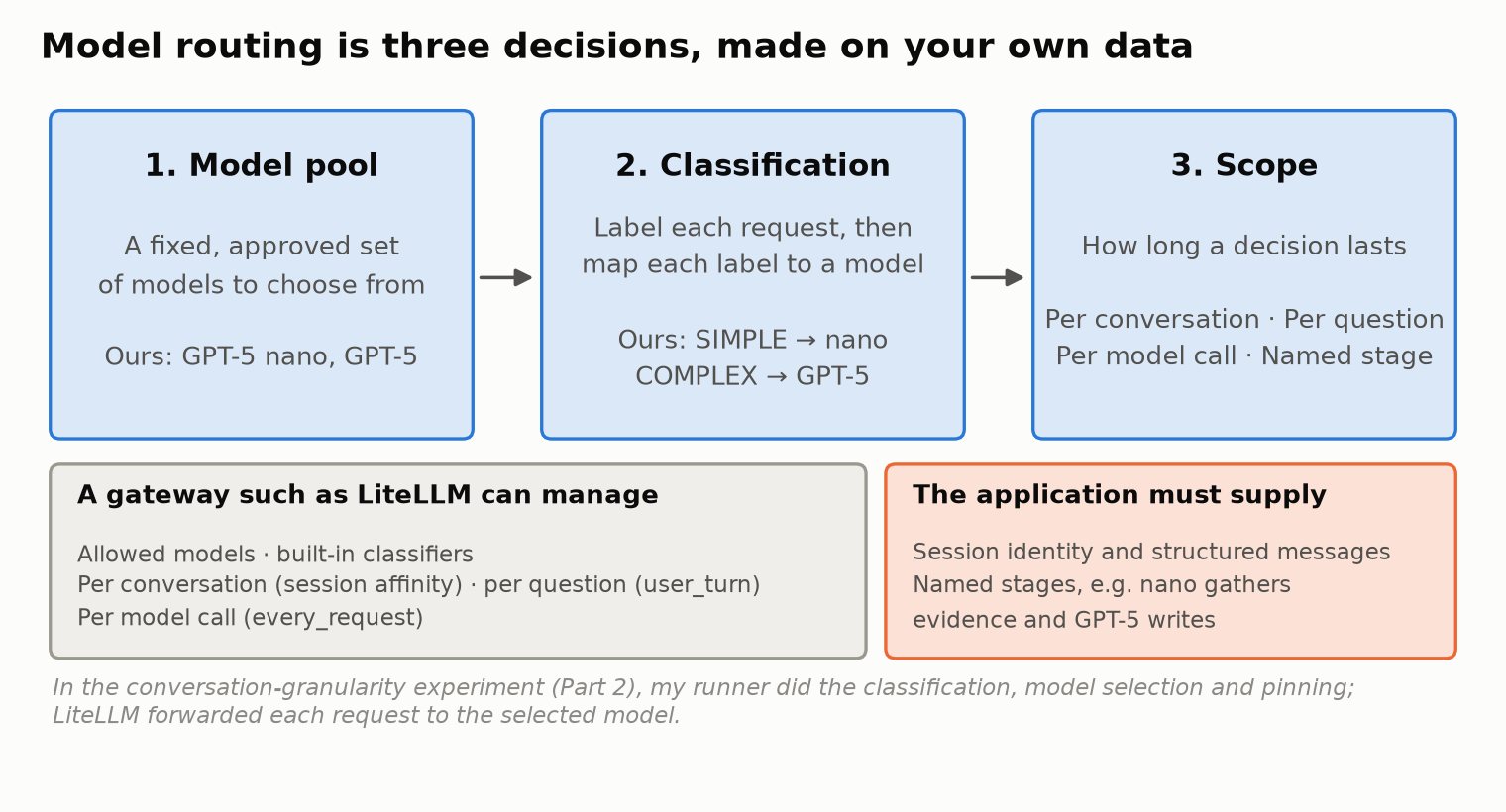
- Model pool: which approved models the router may choose between.
- Classification: how each request is labeled, and which model each label maps to.
- Scope: how long a routing decision lasts, such as a whole conversation, a single question or a single model call. That is Part 2.
Choosing and Fixing the Model Pool
Shortlist approved models on benchmarks, domain fit, cost and latency, then run evals on your own golden set. Candidates must support the agent’s tool calls and output formats. Cost per correct answer matters more than token price alone.
My evaluated pair was GPT-5 nano, the lower-cost candidate, and GPT-5, the stronger performer. Both use the same provider behind one gateway. I did not run public benchmarks myself; the choice rested on workload evals, cost and latency.
Keep routing within the evaluated, approved pool and pin model versions for reproducibility. Even OpenRouter Auto was restricted to these two candidates.
How I Checked the Quality
A router can only be judged as well as the grades behind it, so grading came first.
I built a golden set: cases with known business data behind them and expected answers written in advance. A case counts as fully correct only if every requested fact is right, in every turn of the case.
Grading combined human review and LLM review:
- Calibration, earlier: in an earlier model comparison, I graded 36 answers by hand and had Claude Opus 5.5 grade them as an LLM judge. After clarifying the grading rules, the judge agreed with my grade on 31 / 36 (86%). That calibration applies to that judge on those answers.
- This comparison: the nano grades are existing accepted grades. The GPT-5 answers were reviewed by an LLM reviewer, GPT-6 Astra, against the expected answers, and I adjudicated the borderline cases. The Claude calibration does not validate that reviewer; the adjudication is what anchors those grades.
Baselines: What Routing Has to Beat
First, the two models on their own over the 18 cases. The cases cover order lookups, policy questions (current and historical), payout eligibility, refund histories, incidents, reconciliation, an ambiguous name, and a request the agent must refuse.
| Model | Cases correct / partial / incorrect | Fully correct | Estimated cost, all 18 cases |
|---|---|---|---|
| GPT-5 nano | 9 / 7 / 2 | 50.0% | $0.023 |
| GPT-5 | 17 / 1 / 0 | 94.4% | $0.456 |
GPT-5 was far more accurate and cost about 20× more. That gap is what makes routing worth considering. The question routing has to answer is simple: how much cost can we save, and how much accuracy do we give up?
Classification: Labels Are a Design Choice
A classifier assigns a label to each request. A separate mapping turns that label into a model. Both are your choices.
- Labels don’t have to be about difficulty. They can be task type (lookup, investigation, action request), business domain (payments, returns, fulfillment), risk, language, or a mix.
- “Simple” doesn’t have to mean “cheapest”. A short but risky request such as “refund this order now” could be labeled simple and still be mapped to the strong model.
- A pool can have more than two tiers.
For this study, I used the simplest useful setup for a two-model pool: SIMPLE → GPT-5 nano and COMPLEX → GPT-5, for the classifiers I configured. LiteLLM’s built-in tiers also include MEDIUM and REASONING; I mapped everything above SIMPLE to GPT-5. OpenRouter’s Auto Router is the exception: it does not use my labels at all (see below).
The Six Classifiers and How I Configured Them
Every rule, example and prompt below was written from the support-user journeys in my specification: the kinds of questions support staff actually ask. They were frozen before testing. The one exception is a separately versioned refinement of the semantic examples, which I made after seeing the first results. It is reported on its own and is not part of the results table.
How each one ran. For the first five, my own runner produced or collected the classification and chose the model. OpenRouter Auto made its own choice. None of this used a gateway’s automatic routing on live traffic.
- Keyword rules, heuristic scorer and semantic similarity: LiteLLM’s native classification code, exercised separately. It was not routing live traffic through my gateway.
- LLM classifier: GPT-5 nano called through my LiteLLM gateway.
- JEV: called directly through OpenRouter’s Decisions API.
- OpenRouter Auto: called through OpenRouter.
Keyword Rules
LiteLLM’s keyword rules map words to tiers without calling any model. My lists:
keyword_tier_rules: - tier: SIMPLE keywords: [list, show, quantity, stock, balance, price] - tier: COMPLEX keywords: [why, investigate, reconcile, history, policy, eligible, eligibility, refund, failed, incident, cause, "can you", "can the", "can we"]
Simple words signal a direct lookup. Complex words signal explanation, investigation, policy, eligibility, money movement, or a request to act. If both lists match, the higher tier wins. If nothing matches, the question falls back to the heuristic scorer below.
Heuristic Scorer
This is LiteLLM’s default classifier, and I used its defaults unchanged on purpose, to see how a generic heuristic behaves out of the box. It scores seven text signals that were built with software questions in mind:
- code words (weight 0.30)
- reasoning phrases like “step by step” (0.25)
- technical terms (0.25)
- length (0.10)
- simple phrases like “what is” (0.05)
- “first… then” patterns (0.03)
- several question marks (0.02)
LiteLLM lets you add your own technical keywords, which is how you would adapt it to a domain.
Semantic Similarity
LiteLLM can also match questions by meaning. I wrote 14 example sentences, embedded with text-embedding-3-small. A question takes the label of its closest example if the similarity is at least 0.5; otherwise it falls back to the heuristic. A few of the examples:
- SIMPLE (6 examples): “Show the products purchased in this order and their quantities.” · “What is the listed price of this product?” · “List the sellers and their current outstanding amounts.”
- COMPLEX (8 examples): “Explain why the buyer paid but the merchant has not received the money.” · “Determine whether delivery and the waiting period permit a payout now.” · “Can you approve a refund and transfer the money on my behalf?”
LLM Classifier
Here a small model, GPT-5 nano, reads a routing prompt and returns SIMPLE or COMPLEX with a one-line reason. The prompt has five parts:
- Purpose: classify the evidence and reasoning a correct answer needs, “not sentence length or how easy the answer sounds”.
- The application and its tools: read-only SQL, policy search, event history.
- “What makes business questions deceptively difficult”: eight domain traps. Examples: “Buyer payment, seller payout and buyer refund are different money movements”; “Current payout/refund rows can hide failed attempts preceding a success”; “Recorded state, eligibility and successful execution differ.”
- Decision rules: SIMPLE only for direct, bounded lookups. COMPLEX for causal explanation, event reconstruction, policy applied to live data, time-boundary calculations, reconciliation or ambiguity. “A short question can be COMPLEX. A long factual list can be SIMPLE.”
- Generic data definitions: the application’s entities, relationships and metrics, without any test data.
A typical pair of decisions:
- “For order-2, list the product, quantity and seller” → SIMPLE: “Direct bounded retrieval… No complex inference or policy.”
- “Explain why its seller has not received the payout” → COMPLEX: “requires tracing allocations, payments, shipments, returns/refunds, and payout status, plus policy-based eligibility.”
JEV
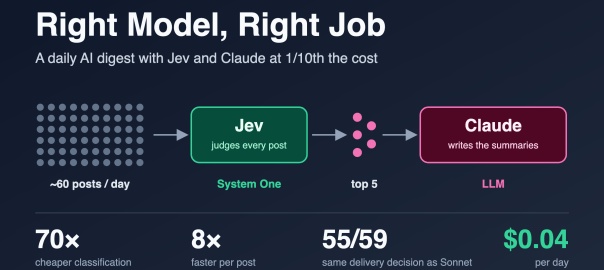
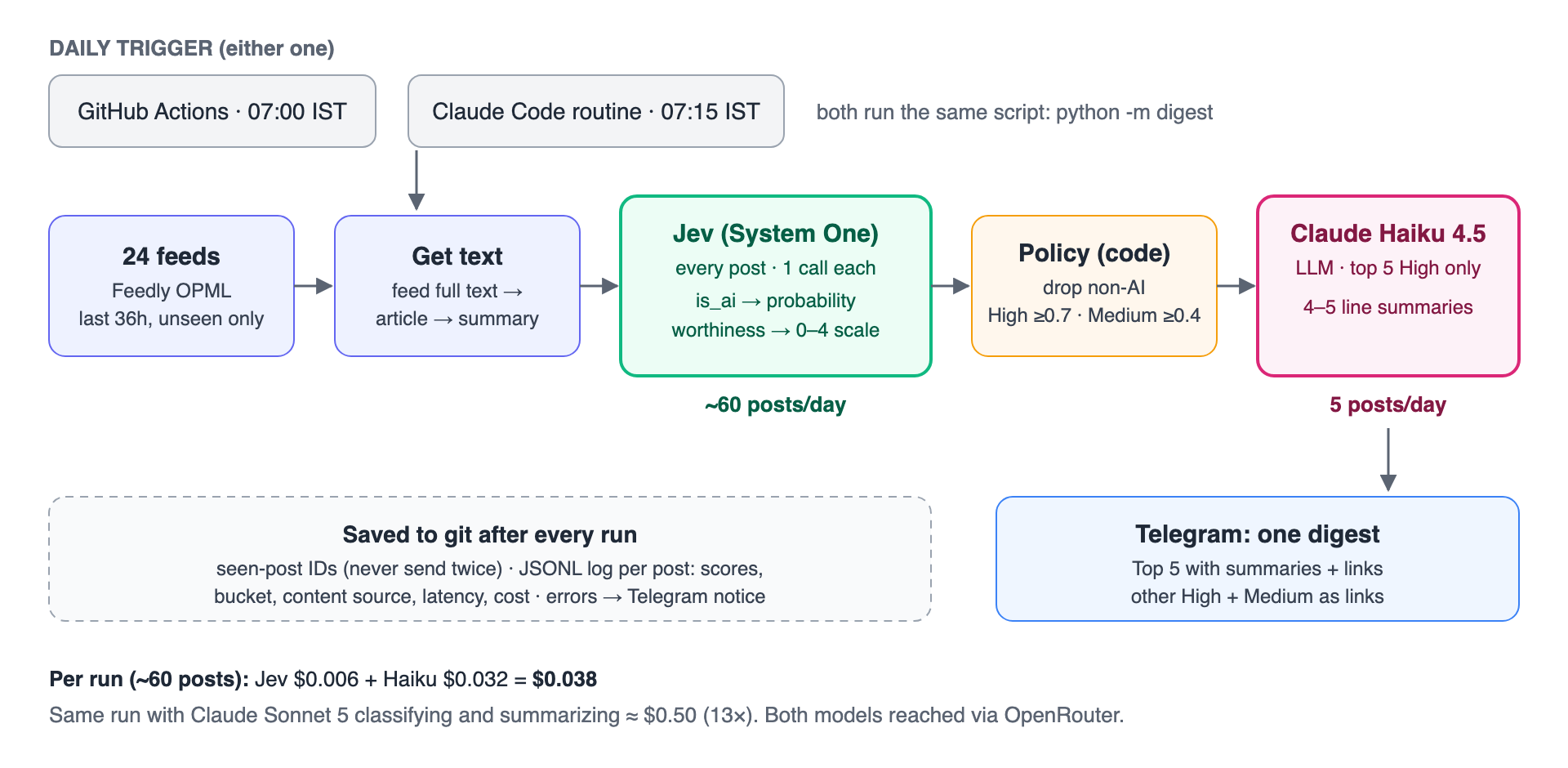
JEV is TypeSafe’s decision model, which I wrote about in Right Model, Right Job. I gave it the same routing rubric, adapted to JEV’s typed API. The rubric text went in as the instructions of a typed SIMPLE/COMPLEX choice question, with the first line changed to “Choose SIMPLE or COMPLEX” instead of asking for a reason. That keeps the two close to a like-for-like comparison.
JEV returns a typed choice and a probability for each option:
{"tier": {"type": "choice", "choice": "COMPLEX", "probabilities": {"SIMPLE": 0, "COMPLEX": 1}}}
That was its answer for “Why has Cedar not been paid for order-1?”
Both the LLM classifier and JEV ran in standalone mode rather than through LiteLLM’s built-in auto-routing. LiteLLM supports both an LLM classifier and JEV as built-in options, so the same setup can be configured inside the gateway.
OpenRouter Auto
OpenRouter’s Auto Router works differently from the other five. There is no prompt or rule set to write, and it doesn’t use my SIMPLE/COMPLEX labels. OpenRouter applies its own task classification, then ranks candidate models using its market data.
- I restricted it to only my two models (
allowed_models: openai/gpt-5-nano, openai/gpt-5). - I supplied the cost tier myself, trying
lowandmedium. - Both settings selected nano for every case.
That is a finding about this restricted two-model configuration. It is not evidence that OpenRouter’s router performs poorly in general.
The Results
Here is how each approach did on the same 18 cases. Costs are replay estimates for all 18 cases at full list price, and they include the classifier’s own cost. The keyword and semantic rows include their heuristic fallback.
| Approach | Cases correct / partial / incorrect | Fully correct | nano / GPT-5 picks | Estimated cost | Saving vs always GPT-5 |
|---|---|---|---|---|---|
| Always GPT-5 nano | 9 / 7 / 2 | 50.0% | 18 / 0 | $0.023 | 94.9% |
| Always GPT-5 | 17 / 1 / 0 | 94.4% | 0 / 18 | $0.456 | — |
| Keyword rules | 15 / 2 / 1 | 83.3% | 8 / 10 | $0.240 | 47.4% |
| Heuristic (default) | 9 / 7 / 2 | 50.0% | 17 / 1 | $0.038 | 91.7% |
| Semantic similarity | 13 / 4 / 1 | 72.2% | 13 / 5 | $0.138 | 69.8% |
| LLM classifier | 16 / 1 / 1 | 88.9% | 9 / 9 | $0.249 | 45.3% |
| JEV | 16 / 1 / 1 | 88.9% | 8 / 10 | $0.266 | 41.7% |
| OpenRouter Auto (low and medium) | 9 / 7 / 2 | 50.0% | 18 / 0 | $0.023 | 94.9% |
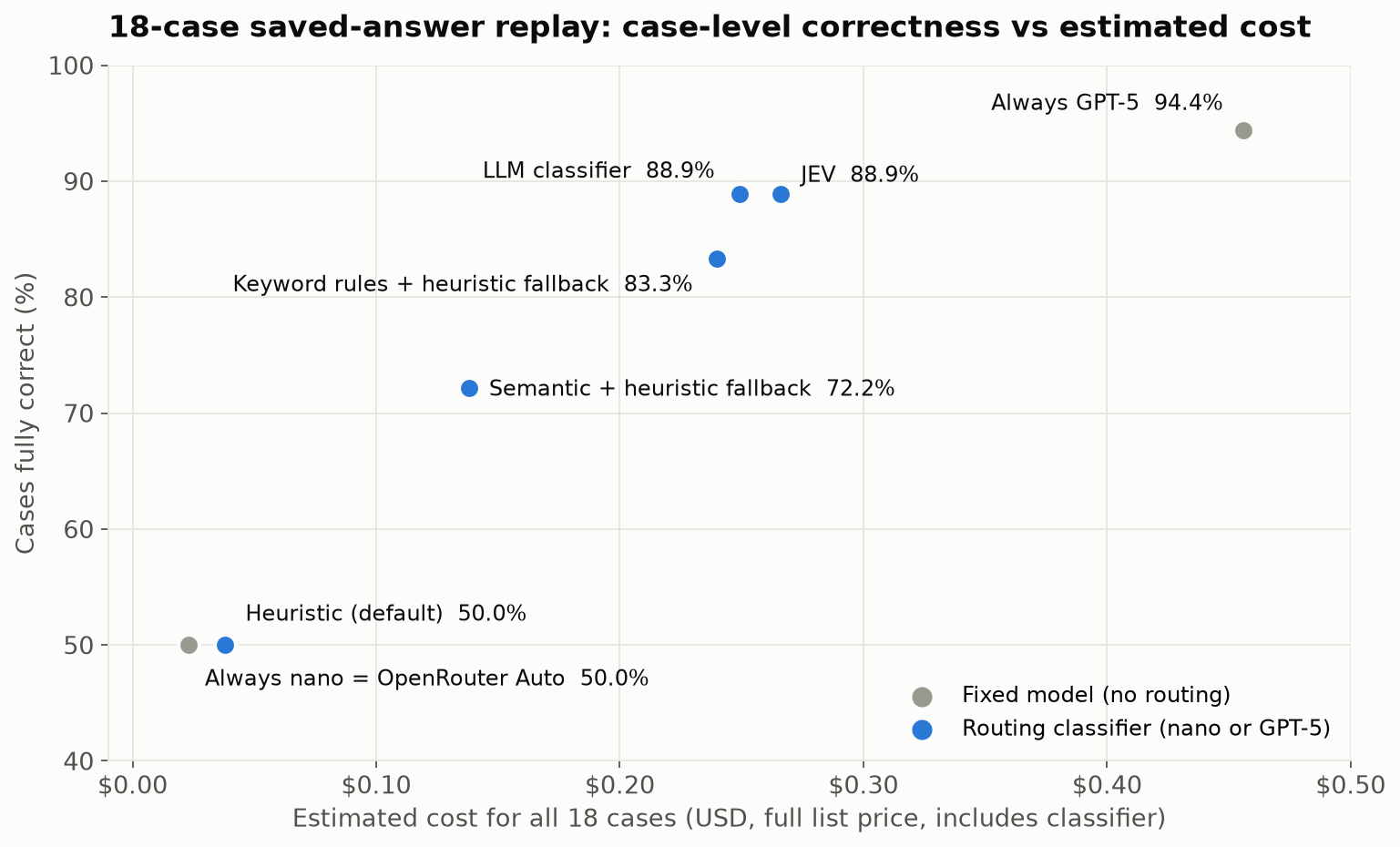
On this tested set:
- The domain-aware classifiers did better than the generic ones. The LLM classifier and JEV share one domain-aware routing rubric. They kept 16 of GPT-5’s 17 fully correct cases at 55–58% of its estimated cost. The default heuristic and the restricted OpenRouter configuration selected nano almost every time and scored the same as nano alone.
- Two short keyword lists got surprisingly close: 83.3% against 88.9%, at similar cost and with no model call.
- Separate the classifier’s cost from the route’s cost. JEV’s 18 classification calls cost less than the LLM classifier’s (about $0.0038 versus $0.0054), and each decision was faster (about 0.7 s versus 2.7 s). Its route still cost more overall, because JEV selected GPT-5 for 10 cases against 9. The extra one was a case nano had already answered correctly.
- Semantic matching depends on its examples. 10 of 18 cases matched no example closely enough and fell back to the heuristic. In the separately versioned refinement, I added more examples: fallbacks dropped to 6, but correctness did not improve and cost went up.
- Routing did not outperform fixed GPT-5 here. That isn’t a law. Routing can beat the best fixed model when different models succeed on different cases. In this pair, GPT-5 was also right on every case where nano was right, so there was nothing for routing to gain over GPT-5 alone.
Right vs Wrong: Three Examples
Averages hide the interesting part, so here are three cases in detail.
1. A short question isn’t a simple question. “Why has Cedar not been paid for order-1?” is only eight words, and the default heuristic scored it as simple and sent it to nano. The real answer needs the payout records: the seller’s payout had failed because of a provider timeout. Nano’s answer did not mention the timeout and was graded partial. GPT-5 identified the recorded provider timeout and was correct. The keyword rules (“why”), the LLM classifier and JEV all sent this question to GPT-5. Generic signals measure how a question looks; domain-aware ones try to measure what answering it takes.
2. Two identical questions, routed differently. Two questions differed only in the order ID: “Explain the refund history for ord-6f3604a5fe.” and “Explain the refund history for ord-aaa1768930.” In the refined semantic version, the first scored 0.529 and the second 0.493 against the closest example, on opposite sides of the 0.5 threshold.
- The first went to GPT-5, although nano’s answer to it was already fully correct. That was wasted cost.
- The second fell back to the heuristic and went to nano, whose answer was partial while GPT-5’s was correct. That was lost accuracy.
It was wrong in both directions, because of an order ID. Similarity thresholds can be sensitive to details that don’t change the task.
3. A keyword list is only as good as its coverage. “After returning one Canvas Weekender, what remains payable to Cedar?” is a money calculation: take the seller’s share of the sale, then adjust for the refunded item and the fee. Its wording (“returning”, “payable”) wasn’t in either keyword list, so it fell back to the heuristic and went to nano. Nano’s answer was partial; GPT-5 computed the correct amount, ₹2,249.10. Rules are cheap and transparent, but this gap led to a routing mistake. A fallback can sometimes still choose correctly; here it didn’t.
Lessons Learned
Domain-aware configurations did better on this set. Two keyword lists reached 83.3%, versus 88.9% for the LLM classifier and JEV. That makes simple rules a useful baseline, with their coverage gaps tested explicitly.
The LLM classifier and JEV agreed on 17 of 18 choices. JEV was faster and cheaper per decision, but agreement does not establish which part of the setup caused the benefit. Separate classifier cost from selected-model cost: a cheap classifier can still produce an expensive route by choosing GPT-5 more often.
A Checklist for Choosing a Classifier
- Shortlist models on benchmarks, domain fit, cost and latency, from approved providers that support your agent’s needs.
- Run evals on your golden set to narrow the shortlist. Then fix the pool and pin the versions.
- Weigh cost savings against accuracy. If the cheaper model meets your accuracy bar, use it. If only the stronger one does and its cost is acceptable, use it. Route only when routing saves meaningful cost while keeping accuracy within your bar.
- Design the classification. Choose labels that matter for your traffic and map them to models. Start with keyword rules, then try semantic or LLM-based classifiers built from real user journeys, not from test questions. Compare them on the same golden set, and look at both classifier cost and route cost.
Part 2 adds the remaining steps: choosing the scope on real conversations, and validating before you deploy.
Limits and What’s Next
This was a small study, and I would not treat it as a benchmark:
- Sample size: 18 cases (20 answer turns per model), one run each.
- Grading: the earlier calibrated judge, existing accepted grades, and an LLM reviewer with my adjudication of borderline cases.
- Tuning: the rules, examples and prompts were written by someone who knew the test cases.
- Costs: replay estimates at full list price.
The point is the process, not the percentages. Next, I want to:
- test on fresh held-out cases, with repeated runs
- add a middle-tier model
- try routers I haven’t tested yet: Not Diamond, which learns from your graded data; Aurelio’s semantic-router; RouteLLM; Arch-Router; and the cloud platforms’ own model routers
Acknowledgements
This post was written with the help of Claude Opus 5.5 in Claude Code, which also helped me research the routing landscape and plan the experiments. The application and experiments were built and run with GPT-6 Astra, which also reviewed answers against the expected results. Claude Opus 5.5 served as the calibrated LLM judge in the earlier model comparison.
References
This Series
- Model Routing, Part 2: Choosing the Scope: per-conversation versus per-question routing on multi-question conversations, with cost and caching.
Earlier Posts
- Right Model, Right Job: A Daily AI Digest with Jev and Claude at 1/10th the Cost: background on JEV and on using a decision model for classification.
- 7 Common Misconceptions When Choosing an AI Model: why benchmarks shortlist models but workload evals select them.
Routing Tools
- LiteLLM Auto Routing: keyword rules, the heuristic scorer, semantic matching, LLM and JEV classifiers, session affinity and classification modes.
- LiteLLM JEV classifier integration: the pull request adding JEV as a LiteLLM classifier.
- OpenRouter Auto Router: OpenRouter’s own task classification and market-based ranking, with cost tiers and allowed models.
For Future Work
- Not Diamond: a learned router that can be trained on your own graded data.
- Aurelio semantic-router: a standalone library for embedding-based routing.